Connect Your Apps
So far, Claude only knows what you’ve typed or uploaded. Your skill tells it how you like to travel, but it doesn’t know when you’re free.
That’s where connectors come in. A connector is a secure link between Claude and another service you use, like your calendar or email. Once it’s connected, Claude can look things up there for you. With your permission, it can also make changes, like adding a trip to your calendar.
A connector can only reach the account you sign in with, and you can disconnect it at any time. Anthropic, the company that makes Claude, says it doesn’t train its AI on data from the Gmail, Calendar or Drive connectors.
Connect your calendar
- In Claude, go to Customize > Connectors.
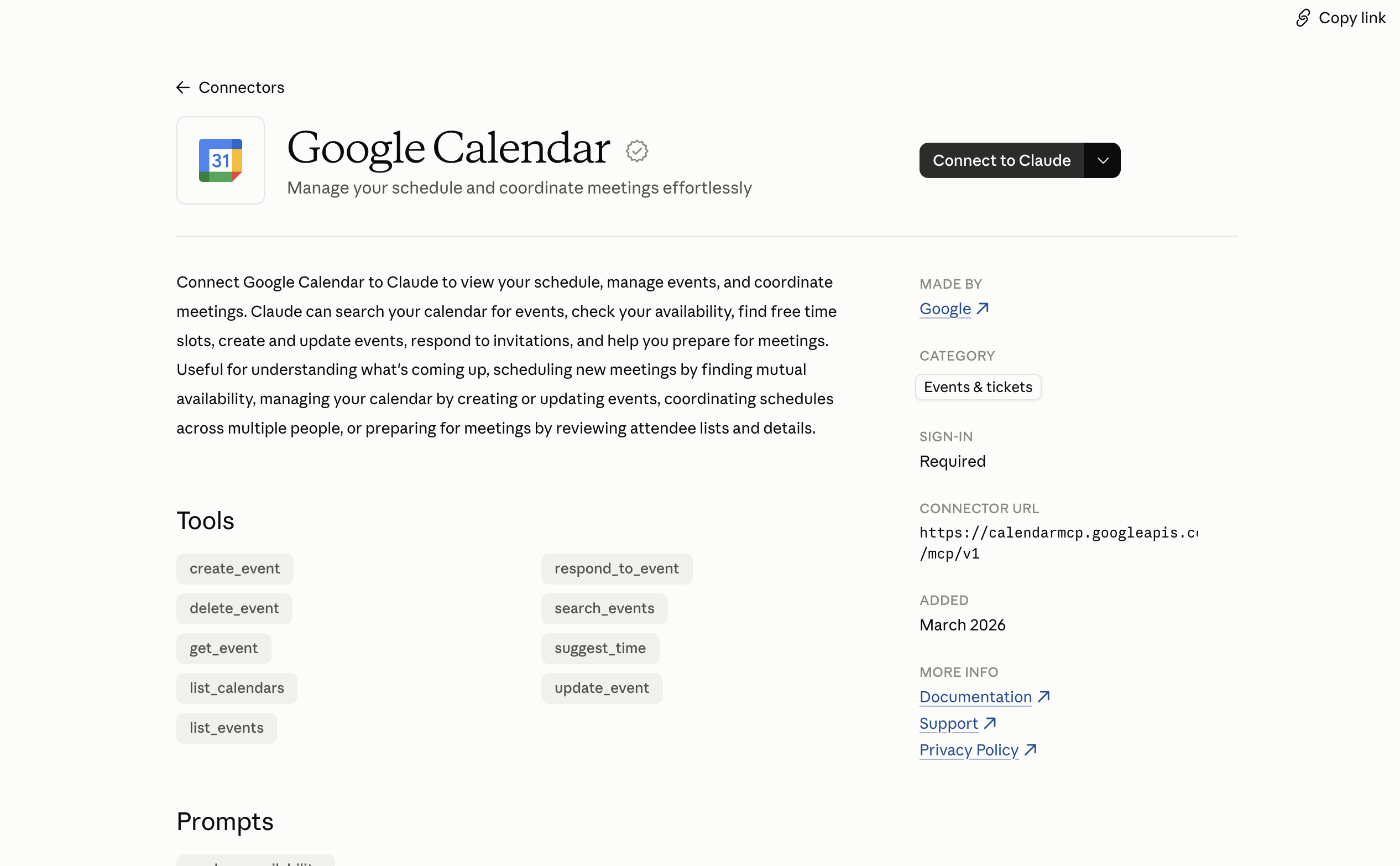
- Find Google Calendar and click to connect it. (Using Outlook? Look for the Microsoft 365 connector instead.)
- Sign in to your Google account when asked.
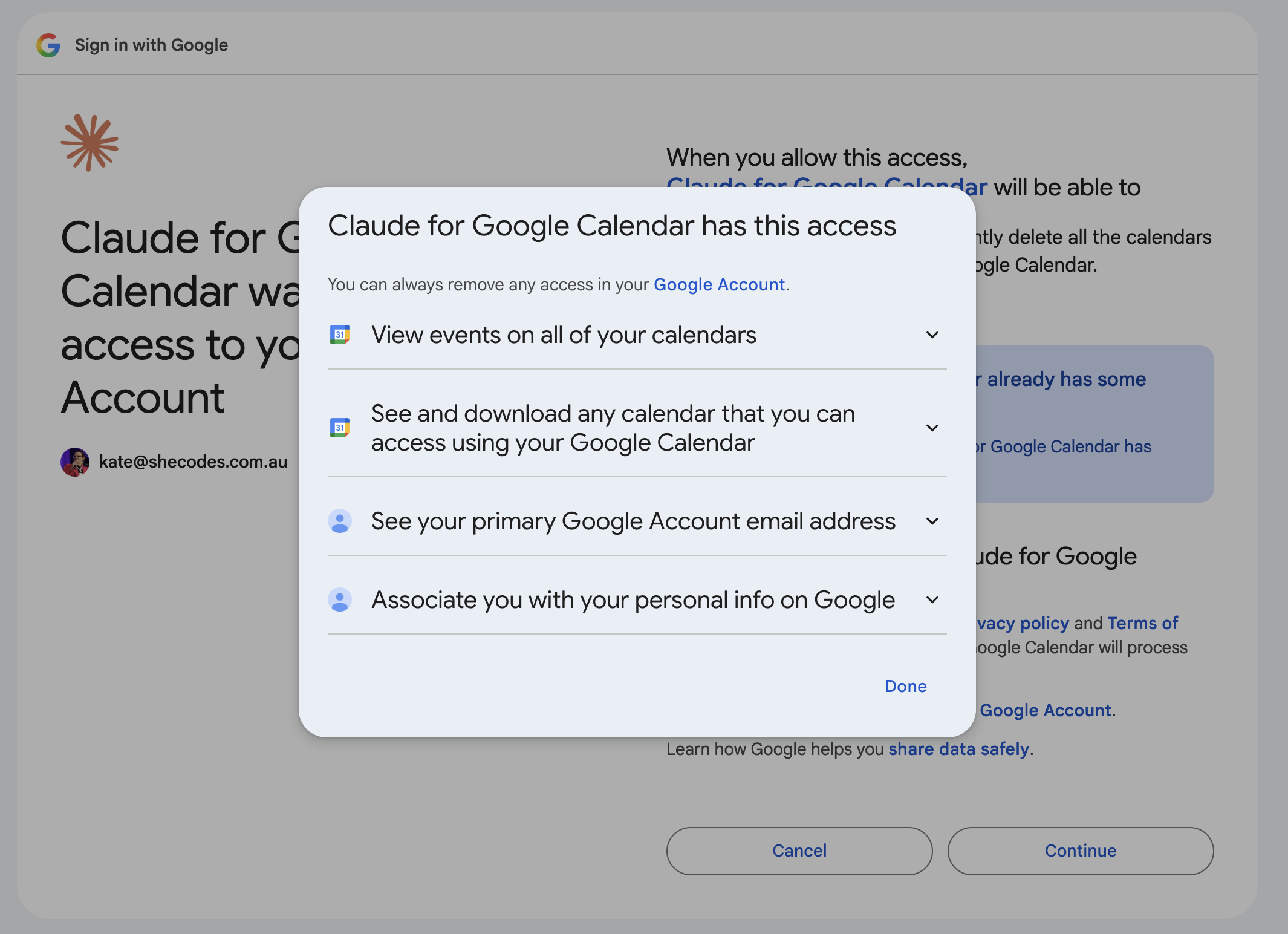
- Read the permissions screen before you agree. It lists what Claude will be able to see and do in your calendar. Take your time, and only continue if you’re comfortable.
Using an iPad?
Connecting apps from the iPad app is still being rolled out. For the smoothest sign-in, connect your calendar in Safari at claude.ai. Once it’s connected, it works in the Claude app too.
You can connect Gmail the same way if you’d like. Then Claude can find booking confirmations in your inbox.
Check it’s switched on for your chat
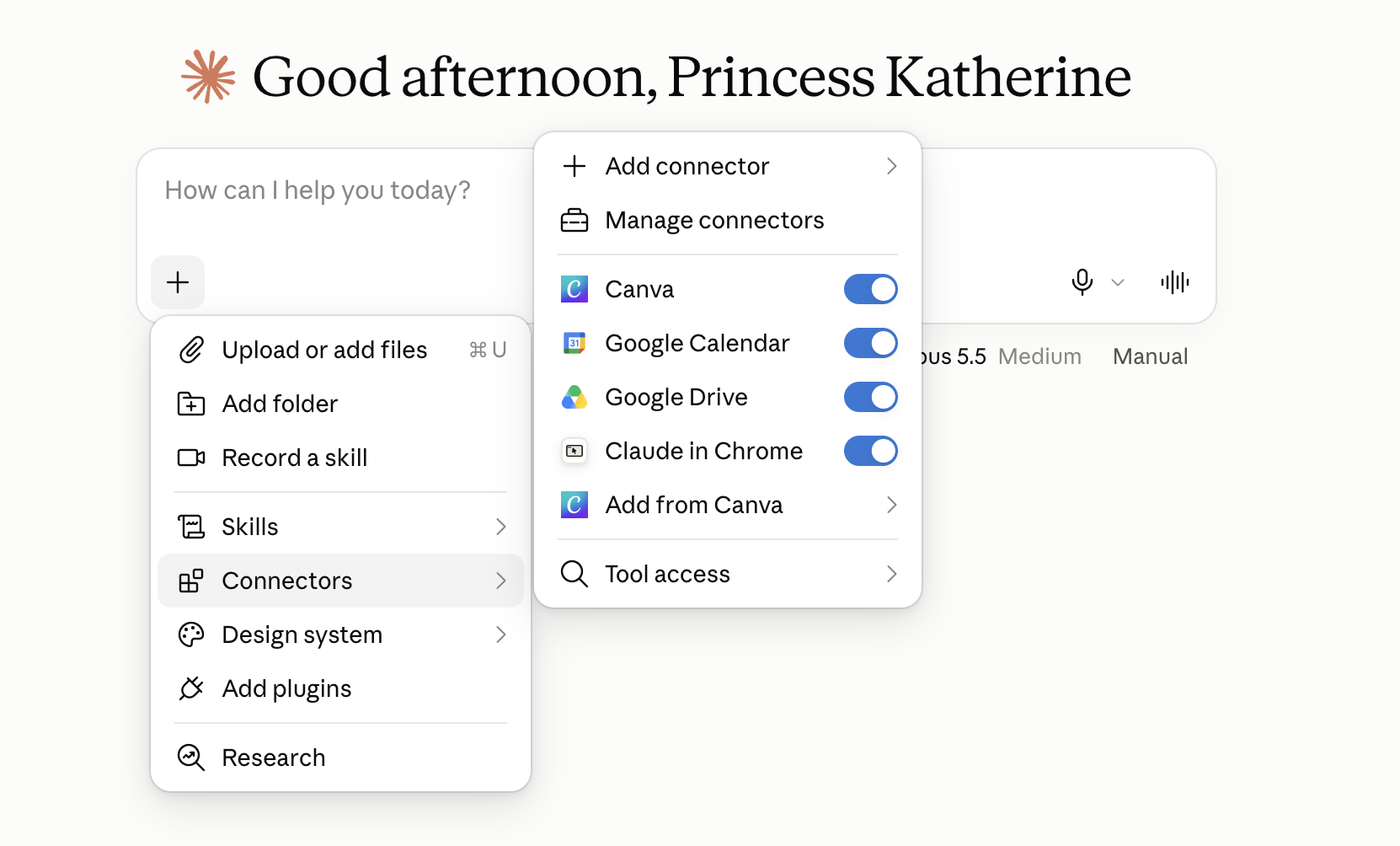
Open a new chat. Next to the message box there’s a menu with a Connectors option. Hover over it (or tap it) and make sure Google Calendar is switched on for this conversation.
Try it out
Work through these in order. Each one builds on the one before.
- “Look at my calendar for the next three months and find a free stretch of at least seven days.” Here Claude is only reading your calendar.
- “Using my travel preferences, suggest a trip I could take in that window, flying from my home airport.” Now Claude is using your calendar and your skill together.
- “Draft calendar entries for that trip, but show me the list first. Don’t add anything yet.” Asking to see changes first is a good habit whenever Claude is about to change something.
- (Optional, if you connected Gmail) “Search my email for any travel bookings this year and list the dates, times and booking references.”
Looking things up vs making changes
Looking things up in your calendar is low risk. Adding, changing or sending things is different, so Claude checks with you first.
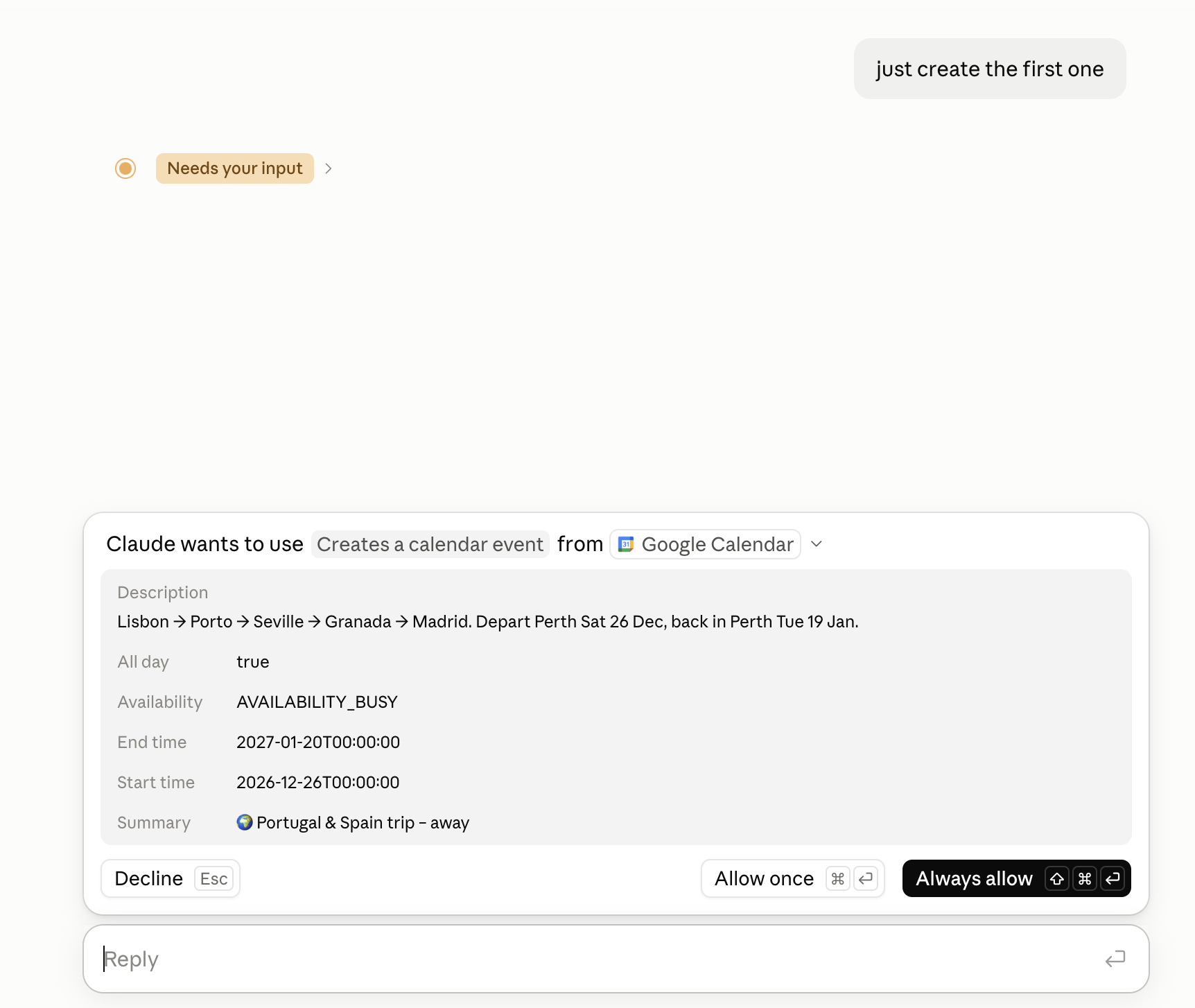
When Claude wants to add something to your calendar, it will stop and ask. Read what it’s asking to do, then choose whether to allow it.
Want to read more?
- Use connectors to extend Claude’s capabilities (Claude Help Center)
- Use Google Workspace connectors (Claude Help Center)