Test and Improve
Now let’s see your skill in action.
Start a new chat
Open a new chat in Claude. A new chat doesn’t remember your earlier conversations, so you’ll see whether Claude uses your skill on its own.
Then try two or three of these, changing the details to suit you:
- “Help me plan six days in Lisbon in May.”
- “I’m visiting my sister in Brisbane for a week. Suggest a few day trips.”
- “Make a packing list for two weeks in Japan in autumn.”
- “Compare a river cruise with a self-guided rail trip through France for us.”
None of these mention your pace, budget or food. That’s because your skill fills in those details for you.
How do I know it’s using my skill?
As Claude works, look at its working notes. If you see Loaded skill followed by my-travel-planner (or the name you gave your skill), Claude has read your header, decided your skill fits the request, and opened your instructions.
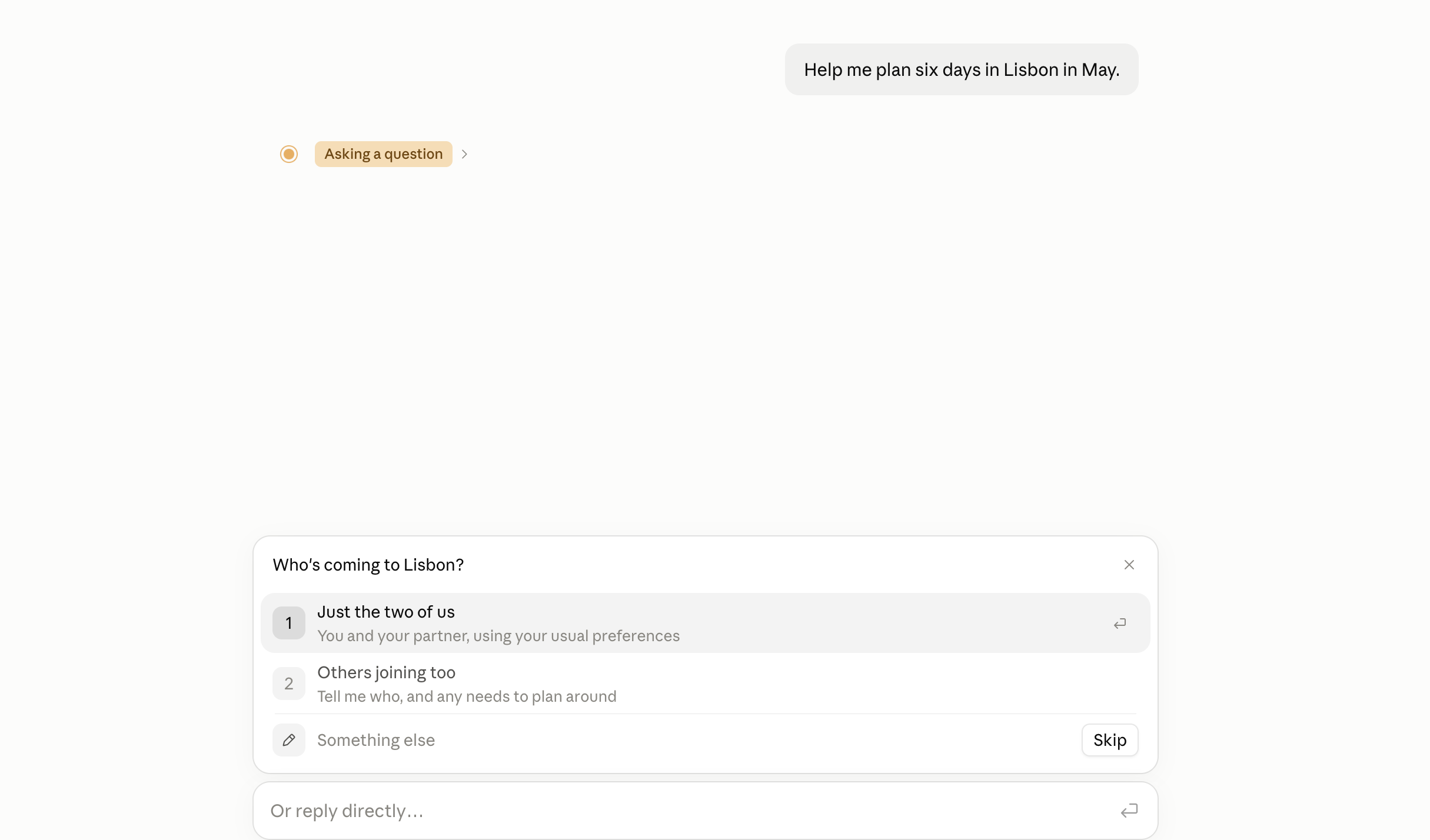
Claude might also ask you a question before it starts, like who’s coming. That’s the first step in your skill’s How to plan a trip section at work.
Check the plan
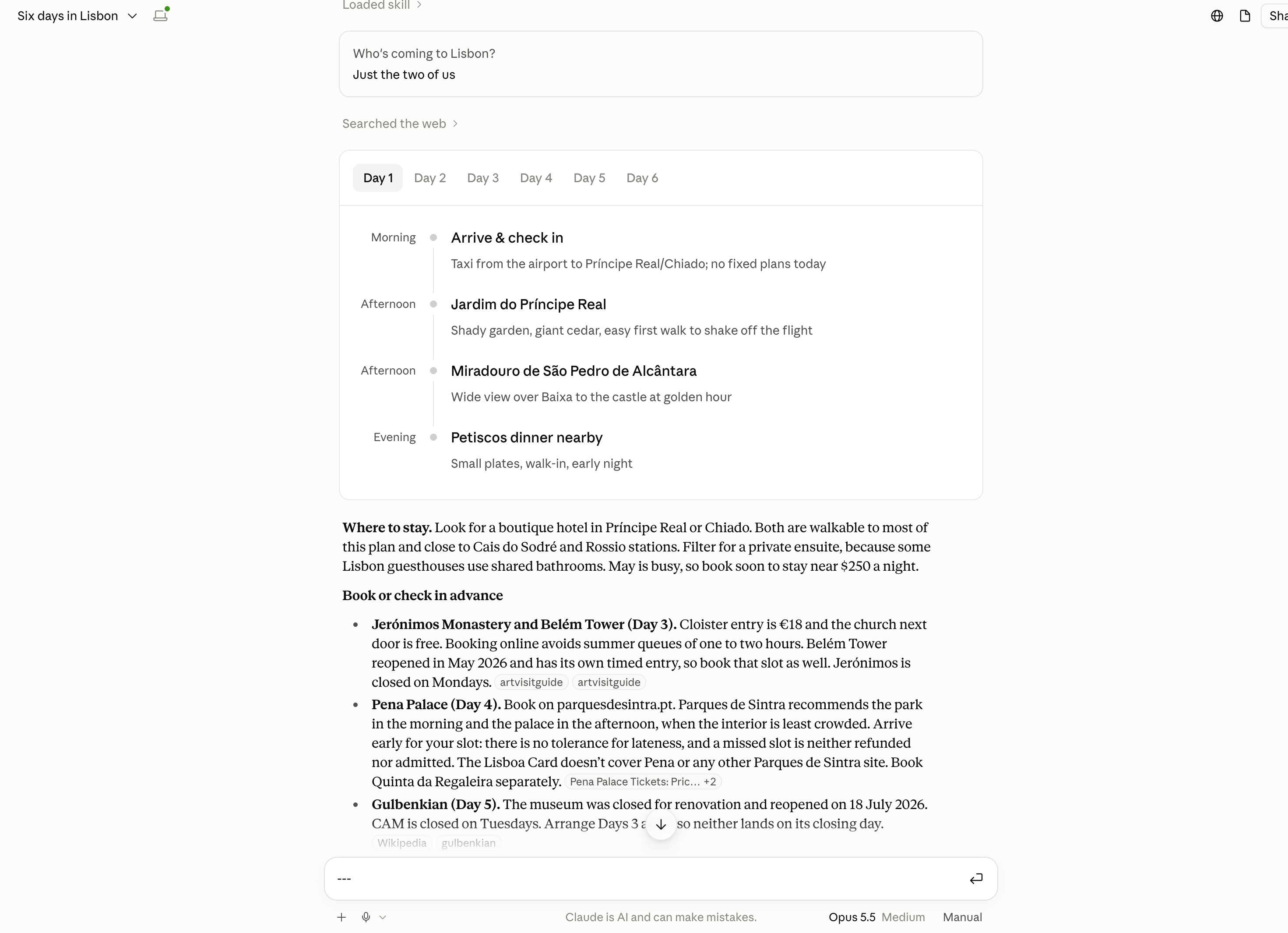
Read through what Claude gives you and ask yourself:
- Does it follow my firm rules?
- Does it feel like my kind of trip: my pace, my budget, my food, and none of the things I’d rather avoid?
- Is it laid out the way I asked for?
Check the facts before you book
AI writes what a good answer looks like, and it can sound sure of itself even when it’s wrong. Opening hours, prices, transport times and visa rules change often. Use Claude’s plan as a starting point, and check official websites before you book anything.
Make a note of anything that wasn’t quite right. You’ll use it in the next step.
Make it better
First versions are rarely perfect, and that’s completely normal. Each time you notice something that’s not quite right, turn it into an instruction. For example:
- The plan had four activities a day. Add a firm rule: “No more than two activities a day, with a rest after lunch.”
- It didn’t mention stairs at the train station. Add a step to How to plan a trip: “Note whether stations are step-free.”
- Claude didn’t use your skill at all. Make your description a little more specific about when to use it, for example by adding “holidays” or “day trips”.
Then update your skill:
- Open your SKILL.md in your editor, make your changes, and save.
- Zip the folder again, the same way as before.
- Upload the new zip in Customize > Skills. If the old version is still listed, delete it or switch it off, so Claude isn’t choosing between two.
- Test again in a new chat.
Try changing one or two things at a time, then test again. That way you’ll know which change made the difference.
Keep improving it
You can keep improving your skill long after today.
- Add an example. Have an itinerary from a past trip you loved? Paste a short version into your SKILL.md under a heading like “Example of a trip I loved”. Examples help Claude understand what a good trip looks like to you.
- Update it after each trip. Came home wishing you’d had fewer early starts? Add that to your skill.